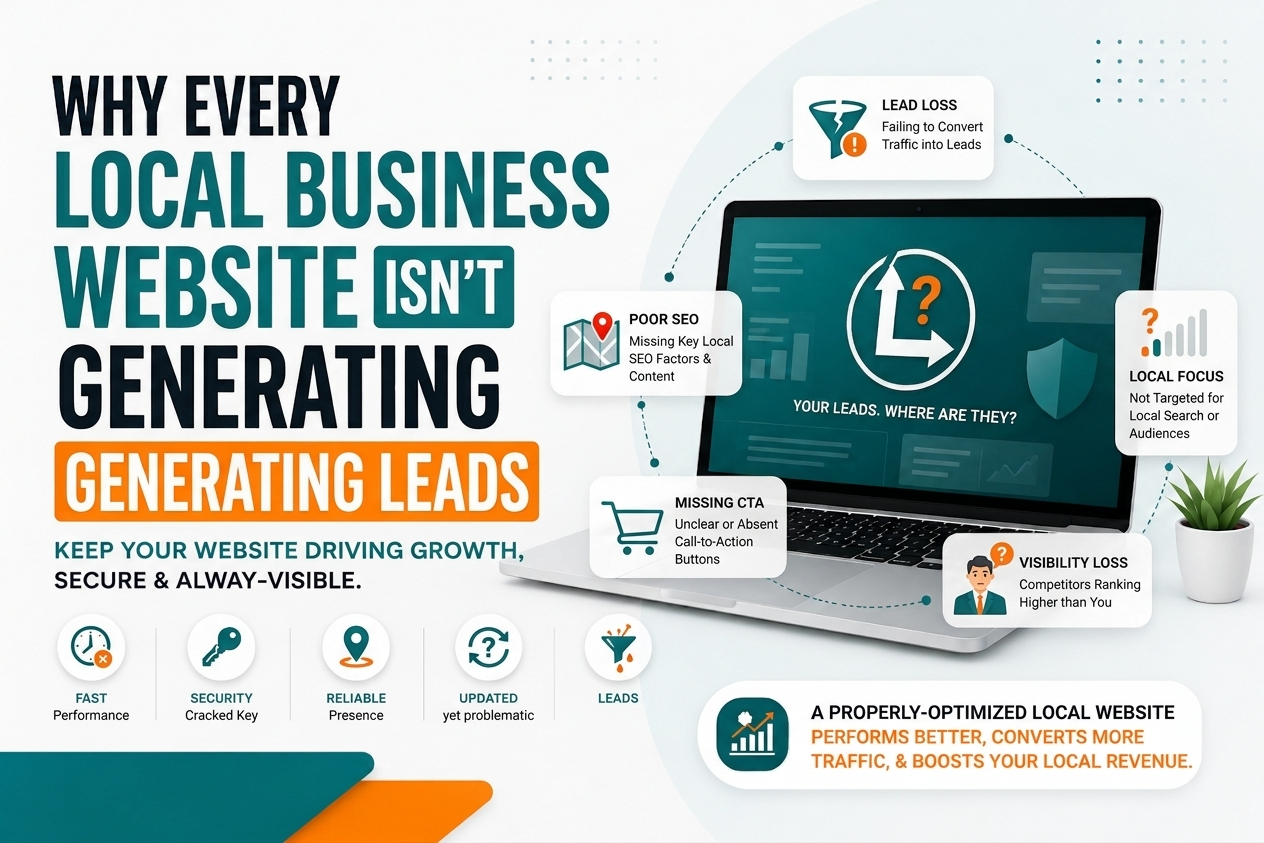
A local business website has one job: turn a visit from someone who needs your service into a call, a form submission or a message. Most don’t do that. The cause is rarely ugly design. Good local business web design answers the visitor’s questions in the right order, loads fast on a phone and keeps working after launch. Most sites miss at least one of those.
I build and optimise WordPress sites for service businesses, and the same six problems come up again and again. Below is what each one looks like, why it costs you leads and how to fix it this week.
Quick test: open your site on your phone and look at the first screen without scrolling. In five seconds, can a stranger tell what you do, where you work and how to contact you? If not, keep reading.
What a visitor is really asking
Someone who lands on a local business website is not interested in your founding story. They want three answers:
- Can you solve my specific problem?
- Can I trust you?
- What do I do next, and how fast can it happen?
Every fix below maps back to one of these three questions.
1. Your headline doesn’t say what you do
A headline like “Excellence in Craftsmanship Since 2008” or “Empowering Your Business Through Design” sounds nice and says nothing. Visitors can’t tell whether you’re right for them, and search engines get a weaker signal about what the page is for.
The fix: make your H1 combine the service, the audience and, where it applies, the place or a real differentiator.
- Weak: “Empowering Your Business Through Design.”
- Better (agency): “Custom WordPress Development & WooCommerce Solutions for Growing Brands.”
- Better (local service): “Roof Repair and Replacement for Homeowners in [Your City].”
This matters most for trades and construction. Contractor website design should lead with the jobs you take on and the area you cover, not with a slogan. A roofer, electrician or builder who states the service and the city in the first line gives both visitors and search engines something to work with.
Keep the H1 as real text in the page, not baked into an image, and repeat the same plain language in the first paragraph beneath it.
2. The call to action is buried, or the form asks too much
If a visitor has to scroll through several screens to find a way to contact you, many won’t. If the form then asks for ten fields, many more will leave. On a phone, every extra step costs you enquiries.
The fix:
- Put the main action in the header. A clear “Get a Quote” or “Book a Consultation” button should stay visible on mobile.
- Shorten the form. Name, email or phone, and project type are enough to start. Qualify the lead on the discovery call.
- Offer a faster channel. A click-to-call or WhatsApp button suits many local businesses, especially for urgent services.
- Repeat the action. Put a CTA after the services section, after the proof section and at the bottom of every key page.
3. Your proof is anonymous or unfinished
A testimonial signed “Great service! – John D.” proves nothing. Neither does a counter that reads “0+ projects completed.” Visitors read these as unverified, and unverified proof is easy to ignore.
The fix:
- Use named testimonials with permission. Include the person’s name, company and, if possible, a link or photo. Make the quote specific: what problem was solved and what changed.
- Write short case studies. Use a simple structure: the problem, what you did, the measurable result. Only publish numbers you can back up. You can see how we present real projects in our portfolio.
- Show real work. Use screenshots and photos from actual projects, not stock images of handshakes.
- Check your counters in the page source. Animated stat counters often start at “0” in the HTML and count up with JavaScript. If a crawler or a slow device sees “0+”, your proof looks empty. Put the real number in the page text and animate on top of it.
- Add structured data that matches the page. Organization, LocalBusiness or ProfessionalService schema (whichever fits your business) helps search engines understand who you are, where you operate and what you offer. Only mark up details that are visible on the page and accurate.
4. The site is slow on mobile
Local customers often search on a phone, on mobile data, in a hurry. Heavy page builders, unoptimised images and render-blocking scripts push the page past Google’s Core Web Vitals targets: Largest Contentful Paint of 2.5 seconds or less, Interaction to Next Paint of 200 milliseconds or less, and Cumulative Layout Shift of 0.1 or less.
The fix:
- Fix the largest element first. On most pages that’s the hero image. Compress it, serve it in WebP and make sure it is not lazy-loaded.
- Reduce page-builder weight. Avoid deeply nested sections and unused widgets, and keep the page structure lean.
- Cut what you don’t use. Remove unused plugins and scripts, and load fonts carefully.
- Use caching and a CDN where your hosting allows it.
- Measure with real data. Check the Core Web Vitals report in Google Search Console and test key pages in PageSpeed Insights. Field data (real visitors) matters more than a single lab score.
If you’d like help with this, our SEO and website optimisation service covers speed fixes and technical clean-up.
5. Your website structure doesn’t match what people search for
A single “Services” page that lists everything in one paragraph gives neither visitors nor search engines much to work with. Someone searching for one specific service wants a page about that service, and a clear website structure lets them reach it in a click or two.
The fix: build the site around a simple structure:
- Homepage: who you help, what you do, proof and one clear action.
- One page per core service: who it is for, how the process works, how pricing is set and answers to common questions. See how this works on our Custom Website Development Services and WooCommerce Solutions pages.
- Proof pages: case studies or portfolio entries that link back to the service they demonstrate.
- About and Contact: real people, real business details, an easy way to get in touch.
Then tighten it:
- Link related pages together. A maintenance guide should point to your maintenance service page and back.
- Be consistent about your business details. Use the same business name, address (if you have one) and phone number everywhere: site footer, contact page, directories and social profiles.
- Only create location pages for places you genuinely serve. One thin page per town with swapped-in names doesn’t help and can hurt.
- Consider a Google Business Profile if you have a real storefront or a service area that qualifies under Google’s guidelines.
If your business needs booking, quoting tools or connections to other software, custom web development services are worth a look. Otherwise a well-built WordPress site on a clean theme is usually enough, and cheaper to maintain.
6. Nobody looks after the site once it launches
A site that was fine at launch slowly falls behind: plugins go out of date, backups stop, forms break, pages slow down and links die. Visitors and search engines both notice. This is the problem owners find out about last.
The fix: treat website maintenance services as part of the cost of having a site, not an optional extra. A working routine covers:
- Updates: WordPress core, themes and plugins, tested before they go live.
- Backups: automatic, stored off the server and restore-tested.
- Security and uptime: monitoring, malware scans and quick alerts if the site goes down.
- Health checks: broken links, form tests and a monthly look at page speed.
If you’d rather not do this yourself, a website maintenance plan hands it to someone else on a fixed schedule. Our Professional WordPress Maintenance Services page explains how we run it, and What Does Website Maintenance Include? lists everything a good plan should cover.
A 10-point checklist you can run today
- The H1 states the service and audience in plain language.
- A contact button is visible in the mobile header and the form has only a few fields.
- Testimonials include names and companies, with permission.
- At least one case study shows a real result.
- Stat counters show real numbers in the page source.
- Each core service has its own page.
- Business details match across the site and online profiles.
- Core Web Vitals pass on mobile for your key pages.
- Organization or LocalBusiness schema is in place and matches the visible content.
- Updates, backups and security checks run on a schedule.
Frequently asked questions
How many pages does a local business website need?
At minimum: a homepage, one page for each core service, an About page and a Contact page. Add case studies as you complete projects. Add location pages only for places you truly serve.
What should small business website design services include?
Design that works on mobile, fast loading, clear service pages, contact forms, basic on-page SEO, analytics and a plan for what happens after launch. If a quote doesn’t list these, ask what is missing.
How do I compare web design packages and find affordable website design?
Compare what each package includes: number of pages, revisions, speed work, SEO setup, training and maintenance. A low price that leaves out the basics usually costs more later. Affordable should mean good value for the scope, not a stripped-down site. If you want a scoped estimate for your project, get in touch.
Do I need website redesign services, or can the current site be fixed?
Fix first if the platform and structure are sound: headline, calls to action, proof and speed are often enough. Consider a redesign when the site can’t be made fast, can’t support the services you now offer or is built on something outdated. Any redesign or migration should keep your existing rankings safe with proper redirects.
What do website maintenance packages cost?
It depends on the size of the site, whether it runs a store, how often it needs changes and how much support time you want. Ask what each package covers: updates, backups, security, uptime monitoring and support hours. Our maintenance services page explains how we scope it.
Next steps
If your local business website looks fine but doesn’t bring in enquiries, start with the checklist above. Fixing the headline, the call to action and the proof often matters more than a full redesign.
Want a second opinion on your site? SFAISAL DESIGNS builds and maintains WordPress, WooCommerce and Shopify sites for service businesses and online stores. Talk to us about your project and we’ll tell you honestly what is holding it back.