By SFAISAL DESIGNS
Launching a website often feels like the finish line. In reality, it’s the starting line for a different kind of work — one that never really ends as long as the site stays live. WordPress powers a huge share of the web precisely because it’s flexible, extensible, and easy to build on. But that same flexibility is exactly why ongoing maintenance isn’t optional. A WordPress site left untouched after launch doesn’t stay the same — it quietly gets slower, less secure, and further behind, one skipped update at a time.
This guide breaks down what WordPress maintenance actually involves, why it matters more than most business owners realize, and what genuinely happens — not hypothetically, but in practice — when it gets skipped.
What “WordPress Maintenance” Actually Means
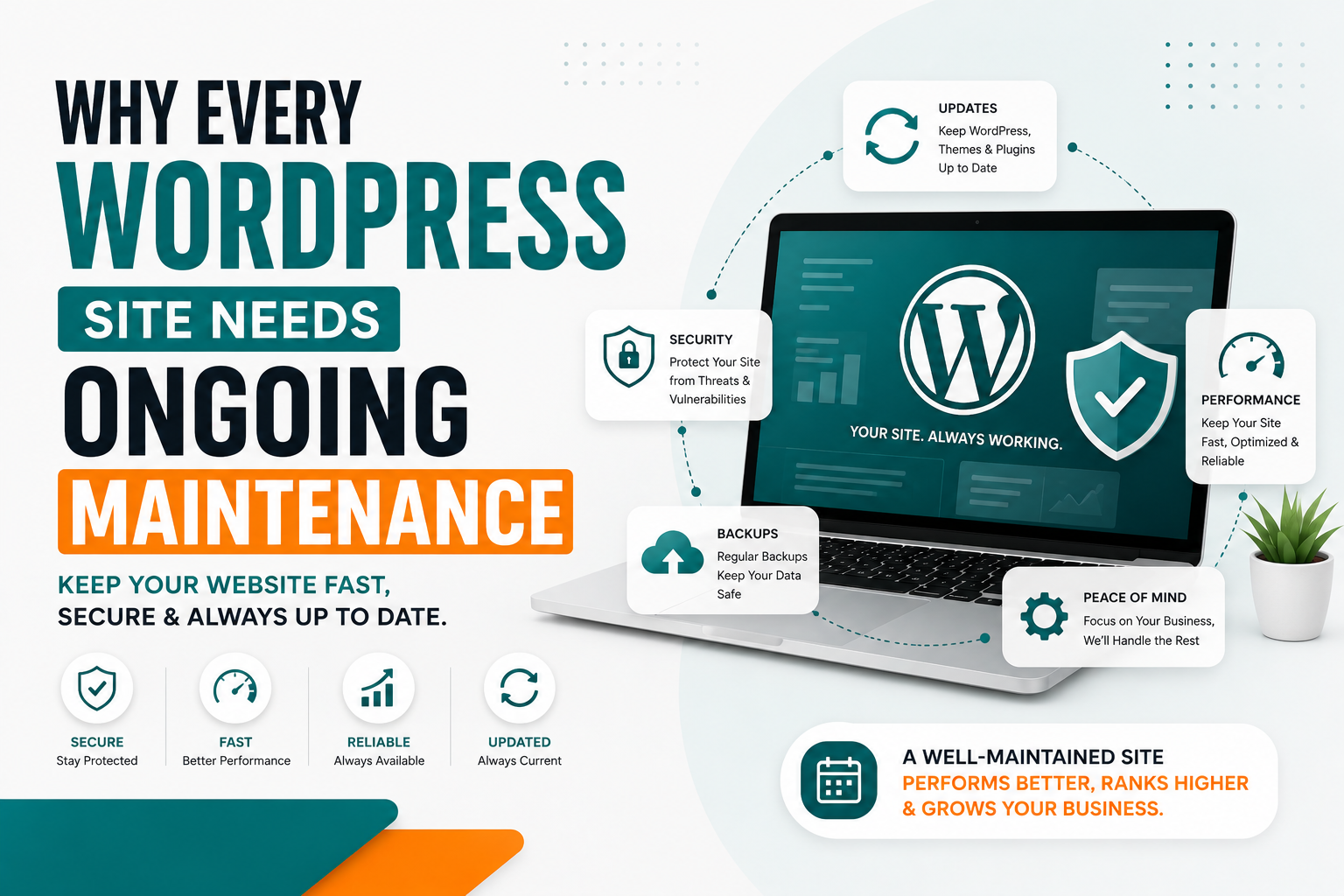
“Maintenance” gets used loosely, so it’s worth being specific. Proper WordPress maintenance services typically include:
- Core, theme, and plugin updates — applied regularly, and tested before going live on your actual site
- Security monitoring — watching for suspicious login attempts, malware, and known vulnerabilities
- Automated backups — scheduled and verified, not just “set once and hope”
- Uptime monitoring — knowing immediately if the site goes down, not hours or days later
- Performance checks — catching slowdowns before they affect visitors or search rankings
- Broken link and error monitoring — finding issues before customers do
- Ongoing technical support — someone to actually call when something breaks
None of this is a one-time setup task. It’s a recurring cycle, which is exactly why it’s sold as an ongoing service rather than a project with an end date — similar to how you wouldn’t expect a car to run well forever after a single oil change.
Why This Matters More Than Most Business Owners Realize
A website is often the first, and sometimes only, interaction a potential customer has with a business before deciding whether to reach out. If that website is slow, insecure, or broken in small ways, it’s quietly working against the business every single day it goes unnoticed.
We covered a real, concrete example of this in our recent post on the WooCommerce security vulnerability that let unauthenticated attackers gain full administrator access to affected stores. That vulnerability was patched within days of disclosure — but only for stores that actually applied the update. Every store still running the outdated version remained exposed, not because the fix wasn’t available, but because nobody was actively watching for it and applying it.
That’s the pattern behind almost every serious WordPress security incident: the vulnerability gets fixed quickly by the plugin developer, and the actual damage happens afterward, to sites where nobody was paying attention.
What Actually Happens When Maintenance Gets Skipped
This isn’t theoretical. Here’s the realistic progression of a WordPress site that never receives ongoing maintenance:
Weeks 1-4 after launch: Everything looks fine. The site was built well, so there’s no visible sign anything needs attention.
Months 2-6: Plugins begin releasing updates — some are feature additions, some are security patches. Without anyone applying them, the gap between the current version and the latest version starts growing. Performance may start degrading slightly as plugins age and become less compatible with each other.
Months 6-12: A critical vulnerability gets disclosed in one of the outdated plugins. If nobody is monitoring plugin security advisories, the business owner has no way of knowing their exact site is at risk — they find out only if something actually goes wrong.
The incident: An attacker exploits the known, unpatched vulnerability. Depending on the flaw, this could mean anything from a defaced homepage to a fully compromised store with stolen customer and payment data.
The aftermath: Cleaning up a hacked WordPress site typically involves identifying and removing malicious code, restoring from a clean backup (if one exists), resetting all credentials, and rebuilding customer trust — all of which costs significantly more in time and money than the maintenance that would have prevented it entirely.
The uncomfortable truth is that this progression is common, not rare. It’s the default outcome for a WordPress site that receives no ongoing attention after launch — not because WordPress is inherently insecure, but because it’s built as an extensible platform, and extensibility means an ever-growing list of plugins and integrations that all need to stay current.
The Direct Costs of Skipping Maintenance
It’s easy to treat maintenance as a “nice to have” until the actual costs are laid out plainly:
Security breaches. Beyond the technical cleanup, a compromised site can mean exposed customer data, damaged payment processor relationships, and in some cases, legal or compliance exposure depending on what data was involved.
Downtime. Every hour a business website is down is an hour of lost inquiries, lost sales, and potential customers finding a competitor instead.
SEO damage. Google actively penalizes hacked sites in search results, and even non-security issues like slow load times and broken links steadily erode rankings that took real effort to build in the first place — the kind of work we cover in our SEO and website optimization services.
Compounding technical debt. A site with years of unapplied updates often can’t simply be updated anymore — plugins may have changed so much that a straightforward update breaks other parts of the site, sometimes requiring a partial or full rebuild instead of a routine fix.
Lost customer trust. A visibly broken, slow, or insecure-feeling website (browser security warnings, expired certificates, obvious glitches) actively damages credibility, especially for businesses in healthcare, real estate, or eCommerce where trust is central to the buying decision.
Maintenance Is Different From The Original Build
A common misconception is that a well-built website shouldn’t need ongoing work. This confuses two very different things: build quality and maintenance.
A site built with clean code, proper structure, and good practices — the kind of foundation we focus on in our WordPress development services — genuinely reduces how much can go wrong. But even the best-built site depends on third-party plugins, WordPress core itself, and the broader security landscape, all of which change constantly regardless of how well the site was originally built. A perfectly built car still needs oil changes; a perfectly built website still needs maintenance.
This is also why maintenance matters just as much — sometimes more — for sites we didn’t originally build. A site inherited from a previous developer or agency can be maintained just as effectively going forward, provided someone actually takes ownership of the ongoing care.
How Often Does WordPress Actually Need Maintenance?
There’s no single universal answer, but a reasonable baseline looks like this:
- Security monitoring: Continuous — this should never have gaps
- Plugin and core updates: Reviewed and applied at least monthly, sooner for critical security patches
- Backups: At minimum daily for active eCommerce stores, weekly for lower-traffic business sites
- Full site health review: Monthly, covering broken links, performance, and overall functionality
- Uptime monitoring: Continuous, with immediate alerts
Stores built with WooCommerce generally need tighter monitoring than a simple brochure site, since they handle sensitive customer and payment data and tend to run more plugins to manage inventory, shipping, and payments — each one a potential point of vulnerability if left unmonitored.
DIY Maintenance vs. Professional Maintenance
Technically, a business owner can handle basic WordPress maintenance themselves — logging in periodically, clicking “update” on plugins, and checking that the site still looks right. In practice, this rarely happens consistently, for reasonable reasons: it’s not anyone’s core job, it’s easy to forget, and it’s hard to know which updates are safe to apply blindly versus which need testing first.
Professional maintenance solves this by making it someone’s actual job to:
- Know which updates are safe to apply immediately and which need testing first
- Recognize early warning signs of a security issue before it becomes a full breach
- Actually notice when something breaks, rather than waiting for a customer complaint
- Keep backups genuinely restorable, not just technically “backed up”
This is the gap our website maintenance and support services are built to close — ongoing, dedicated attention instead of maintenance being an afterthought squeezed in between running the actual business.
What To Look For In A Maintenance Provider
If you’re evaluating whether to handle this yourself or bring in help, here’s what actually matters:
Update testing, not just update applying. Anyone can click “update now.” A good provider tests updates before they go live on your actual site, catching conflicts before they cause visible problems.
Real backup verification. A backup that’s never been tested for restoration isn’t a reliable safety net — ask whether backups are periodically verified, not just scheduled.
Actual response time commitments. If something breaks, how quickly does someone actually respond? “We’ll get to it eventually” isn’t a maintenance plan.
Transparent reporting. You should know what was updated, checked, and fixed each month — not just be told “everything’s fine” with no detail.
Security-specific monitoring, not just general updates — someone actively watching for new vulnerability disclosures relevant to your specific plugins, the way we tracked and reported on the recent WooCommerce Social Login vulnerability.
Maintenance And SEO Are More Connected Than They Seem
It’s worth calling out specifically: search rankings and website maintenance aren’t separate concerns. Google’s ranking factors increasingly weigh page speed, mobile usability, and security (HTTPS, absence of malware) directly. A site that’s been neglected technically will, over time, quietly lose the rankings it worked to earn — regardless of how good the original content and SEO strategy were at launch.
This means maintenance isn’t just a defensive, “avoid disaster” service — it’s an active part of protecting the SEO investment a business has already made.
Real Projects, Real Ongoing Needs
Every project in our case studies — from Ironclad Construction Group’s single-page site to Alfheimr’s custom WooCommerce fragrance store — shares the same reality after launch: the site needs to keep working, keep loading fast, and keep staying secure long after the initial build is finished. A WooCommerce store in particular, handling live transactions and customer data, has more ongoing exposure than a simpler brochure site, which is part of why maintenance planning is discussed as part of the project from the start, not bolted on as an afterthought later.
Maintenance Needs Vary By Industry
Not every website carries the same level of risk or urgency when it comes to maintenance. The right level of attention depends heavily on what the site actually does and who depends on it:
Healthcare websites often handle appointment requests and sensitive patient inquiries. A security lapse here isn’t just inconvenient — it can involve real privacy concerns, making consistent monitoring especially important for healthcare website design projects.
eCommerce and retail stores process live transactions and store customer payment information, making them a more attractive target for attackers than a simple informational site. This is why maintenance planning is discussed early for eCommerce and retail projects, not treated as an optional add-on.
Real estate websites often integrate with listing feeds and handle a steady stream of buyer and seller inquiries — downtime here can mean missed leads during exactly the window when a property is generating the most interest, a real consideration for real estate website design.
Technology and SaaS websites frequently serve as the primary trust signal for a technical audience evaluating a product, meaning even small performance or security issues can undermine credibility with exactly the visitors technology and SaaS businesses most need to convert.
Local business and construction websites may carry lower transactional risk, but still depend on uptime and speed to convert local search traffic into calls and quote requests — the entire premise behind local business and construction website strategy.
The common thread: maintenance isn’t one-size-fits-all, but every business benefits from having someone actively responsible for it rather than leaving it to chance.
Signs Your Website Has Been Neglected
Sometimes a business inherits a website — from a previous developer, an agency that’s no longer active, or years of nobody being clearly responsible for it. A few warning signs suggest maintenance has been skipped for a while:
- Plugin or theme update notifications that have been ignored for months, visible in the WordPress dashboard
- A noticeably slower load time than the site used to have, without any obvious cause
- Browser warnings about an insecure or outdated SSL certificate
- Broken links, missing images, or layout issues that have quietly appeared over time
- No record of when the last backup was taken, or whether it’s ever been tested
- Contact forms that silently stopped delivering submissions at some point
None of these individually mean disaster is imminent, but together they’re a reliable signal that the site has been running without active oversight — exactly the condition that precedes the kind of incident described earlier in this post.
At SFAISAL DESIGNS, we treat maintenance as a genuine extension of the original build, not a separate, disconnected service. Because we approach custom website design and development with long-term maintainability in mind from the start — clean code, minimal unnecessary plugins, and a clear structure — ongoing maintenance tends to be more straightforward and less reactive than on a site built without that foundation.
Our maintenance plans cover the essentials outlined throughout this post: regular updates, security monitoring, verified backups, uptime tracking, and a monthly health report so you actually know what’s being done, not just told to trust that it is.
Our Take
WordPress isn’t risky because it’s poorly built — it’s risky when it’s left alone. The businesses that avoid security incidents, slow degradation, and expensive emergency rebuilds are the ones that treat maintenance as a routine, ongoing part of running a website, the same way they’d treat any other essential business upkeep. The cost of consistent maintenance is almost always smaller than the cost of the incident it would have prevented.
Frequently Asked Questions
How much does WordPress maintenance cost? Pricing depends on your site’s size, complexity, and how frequently it needs monitoring and updates — a simple brochure site typically costs less to maintain than an active WooCommerce store. We provide a clear plan and quote after reviewing your specific site.
Can you maintain a website you didn’t originally build? Yes. We regularly take over maintenance for sites built by other developers or agencies, starting with a full site audit to understand its current state before establishing an ongoing plan.
What happens if I skip maintenance for a few months? Nothing may go visibly wrong immediately, but the gap between your site’s current state and the latest security patches grows, increasing risk over time. The danger isn’t usually immediate — it’s cumulative.
Is maintenance really necessary if my site is simple? Yes, though the intensity can be lighter. Even simple sites run on WordPress core and at least a few plugins, both of which receive security updates that need to be applied regardless of site complexity.
Do backups alone cover what I need, even without other maintenance? No. Backups are essential for recovery after something goes wrong, but they don’t prevent the incident itself. Updates and security monitoring are what reduce the chance of needing that backup in the first place.
How is website maintenance different from web hosting? Hosting provides the server your site runs on. Maintenance is the ongoing technical care of the website itself — updates, security, backups, and monitoring — and is a separate service from hosting, though both matter for a healthy site.
Not sure if your WordPress site is being properly maintained — or if it’s been neglected since launch? Get a free website health check from SFAISAL DESIGNS → or learn more about our ongoing WordPress maintenance services.